
Workflows
A workflow is an ordered list of actions. You build it once on the Hub, assign it to environments or groups, and Veles runs it on the target org.
Create a workflow
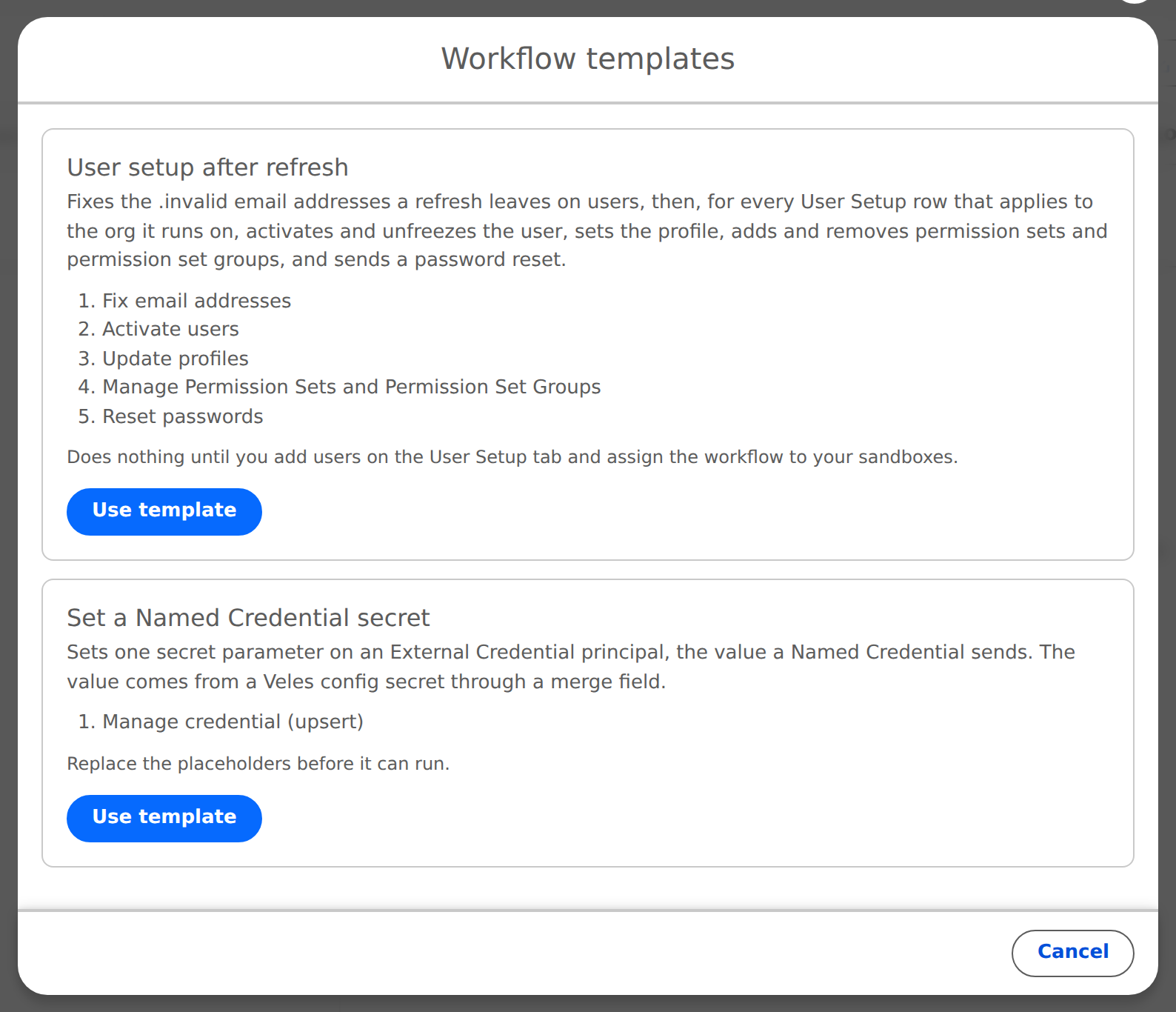
Actions > Workflows, then the + button. Give it a Label and keep Active on. Or click Templates and start from one:
- User setup after refresh: Fix Email Addresses, Activate Users, Update Profiles, Manage Permissions, Reset Passwords, each reading the User Setup list. The common post-refresh workflow.
- Set a Named Credential secret: one Manage Credential step that writes a configuration value into a credential. Replace the
REPLACE_ME_placeholders.
Add actions
Add Action in the workflow. Pick the Action Class from the built-in actions or a registered custom action, give it a Display Label, fill in its parameters. The form has an Insert Merge Field button for values that should come from a configuration, written as {{Config.Field}}.
Per action you also choose what happens when it fails:
- On Failure: Continue, Stop, or Retry with Max Retries (0 to 5), Retry Delay (seconds) and On Retry Exhausted (Continue or Stop).
Use Reorder to change the order. Actions run top to bottom.
Assign it
Open an environment or a group and click Assign in Assigned Workflows. Order matters when several are assigned. An environment with its own assignments ignores its groups' workflows; one without falls back to them. Skip group on an environment excludes it from group workflows.
Run it
Three triggers:
- By hand: in the workflow, pick an Environment and click Execute Workflow, or on an environment click Run in Assigned Workflows. The toast tells you how many workflows were queued; follow them in Activity Log.
- After a refresh: automatically, for every sandbox whose row has Run Workflows After Refresh on, once the refresh is detected and the configuration has been pushed.
- On first connect of a scratch org set up with
sf veles setup.
Workflows never run on a production org, and a child can only run workflows on itself.
What a run looks like
Each run is one row in Activity Log with its trigger (Manual, From Hub, Automatic, After refresh), status and duration. Expand it to see every action with its message. A step that fails tells you why in plain text, for example External Credential "SAP_Prod" not found in dev-anna. Nothing else was changed.
Two guard rails apply to every user action: Veles never changes the user who started the run, and never removes the Veles permission sets from anyone.