
User Setup
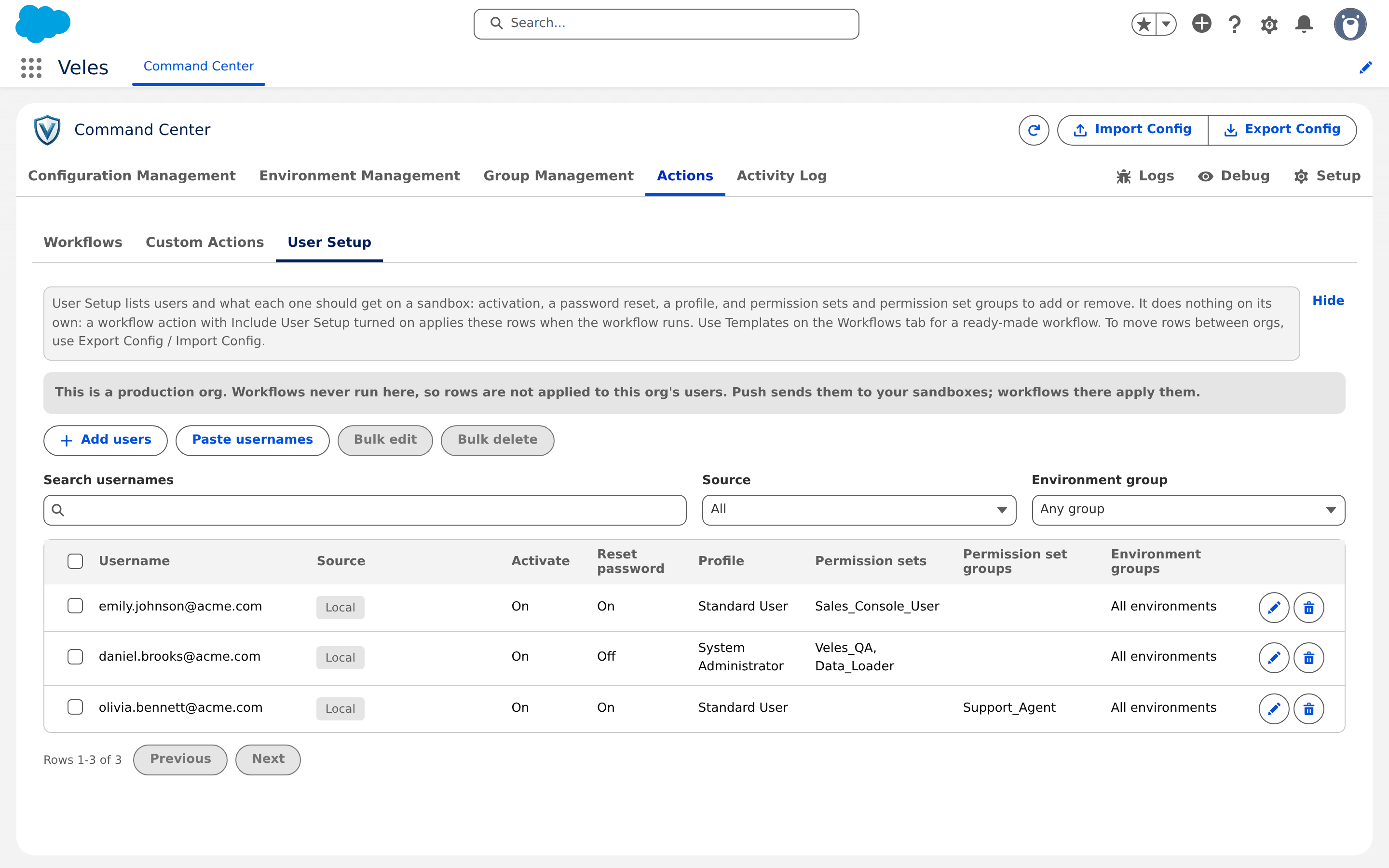
Actions > User Setup is a list of users and what each one should receive on a sandbox: activation, a password reset, a profile, permission sets and permission set groups to add or remove. The list does nothing on its own. A workflow action with Include User Setup turned on applies it when the workflow runs, which after a refresh is automatic.
Add rows
Add users lists the users of this org; tick the ones you want and choose what every new row gets. Paste usernames takes a list and creates one row each.
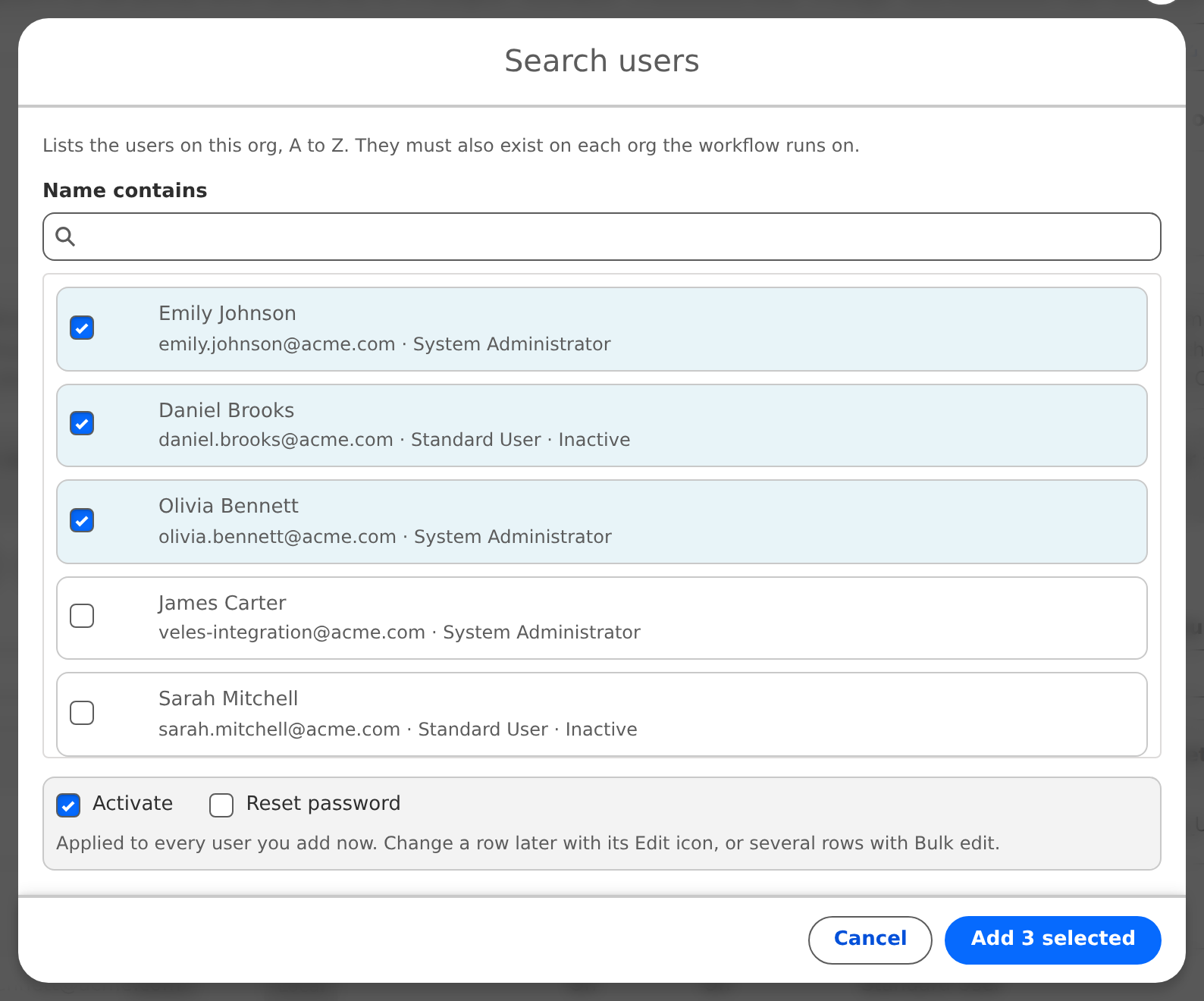
Per row: Activate, Reset password, Profile, Permission sets to add, Permission set groups to add, Permission sets to remove, Permission set groups to remove, Environment groups.
Write usernames without the sandbox suffix (
anna@acme.com). The actions add it per sandbox.Environment groups limits where the row applies. A row with no groups applies on every sandbox.
Bulk edit and Bulk delete work on the filtered list.
Limits: 100 permission sets and 50 permission set groups per list, 50 environment groups per row. The Veles permission sets cannot be put on a remove list.
How rows travel
Rows you create on the Hub reach each sandbox with the push, and the Hub's push after a refresh. On the sandbox they show the From Hub badge and are read-only there. A row created on a sandbox is Local and stays there; if the Hub later sends a row for the same username, the local row wins and the Hub version is shown so the sandbox admin can adopt it with Use Hub version.
The switch Accept User Setup from <Hub> on a sandbox, on by default, lets its admin freeze the received rows: off keeps them as they are and stops pushes from changing them. A refresh turns it back on.
After a refresh
A refreshed sandbox starts clean: Veles removes every User Setup row there, local ones included, and the Hub's next push brings the Hub's rows back. Users who should keep their access through the copy itself are handled by the Sandbox Access group, see Sandbox refresh.
The workflow that applies it
Use the User setup after refresh template, or build your own in this order: Fix Email Addresses, Activate Users, Update Profiles, Manage Permissions, Reset Passwords, each with Include User Setup on. Fix emails first, or the password reset has nowhere to go.