
Configurations
A configuration is a named set of typed fields. You define it once on the Hub and give each environment, or a group of environments, its own values.
Create one
Configuration Management > New Config.
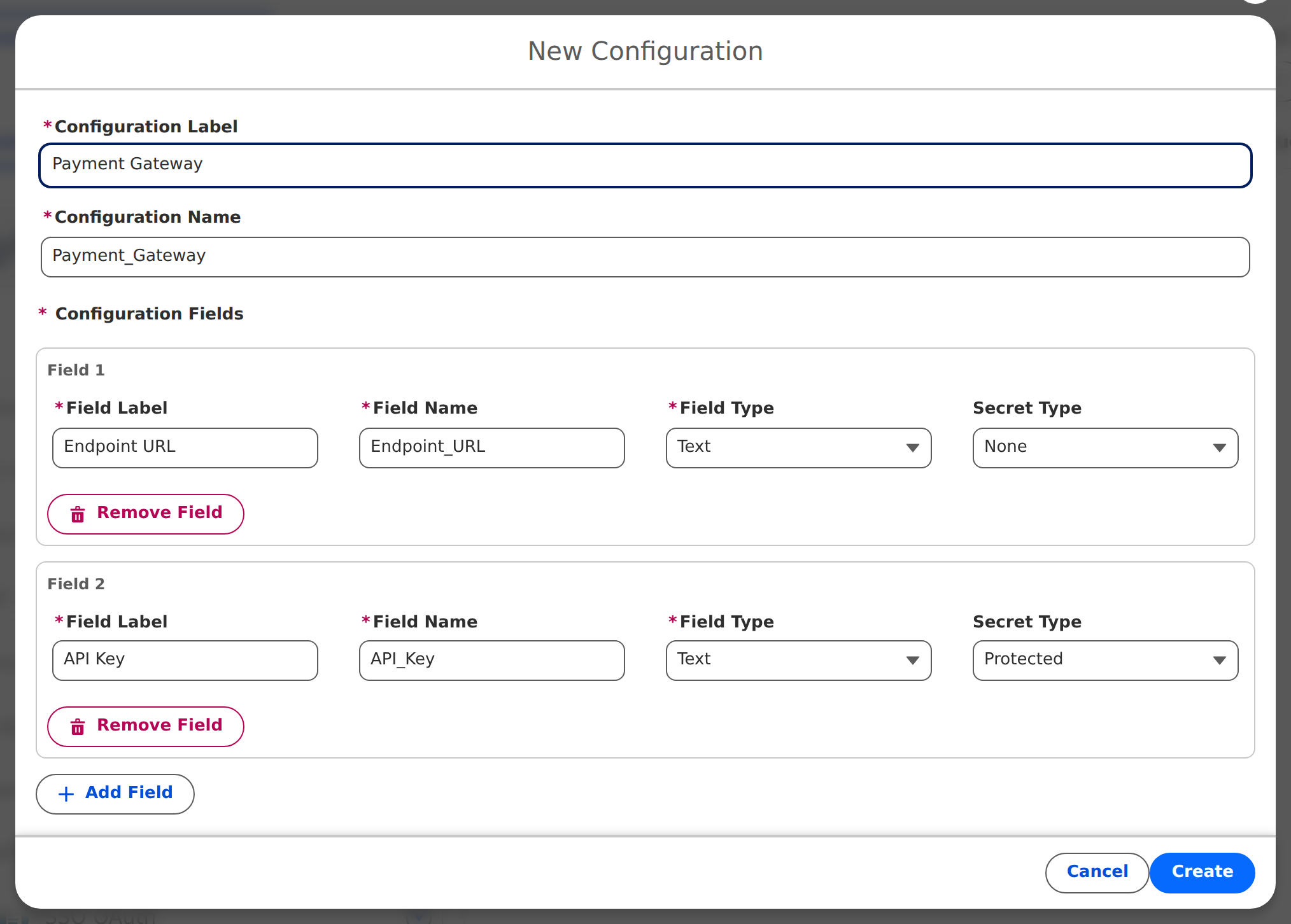
- Configuration Label and Configuration Name: the name is generated from the label (letters, digits and underscores) and cannot change later. Code refers to the name.
- Add Field for each field: Field Label, Field Name (generated, fixed after save), Field Type and Secret Type.
Field types: Text, Long Text, Number, Checkbox, Date, Date/Time.
Secret types, for any field type:
| Secret Type | On screen | In Apex and Flow | Use for |
|---|---|---|---|
| None | Plain | Value | Endpoints, flags, IDs |
| Masked | Dots, with a reveal toggle | Value | Keys an admin may need to see |
| Protected | Populated or Empty, never the value | Value | Secrets code needs, nobody should see |
| Credential | Populated or Empty | null | Secrets that only a workflow may write into a Named or External Credential |
The Free plan allows 25 fields in total across all configurations.
Set values
Click the configuration. The left pane lists where a value can live: Current Environment, each Environment Group, then Production, Sandboxes and Scratch Orgs.
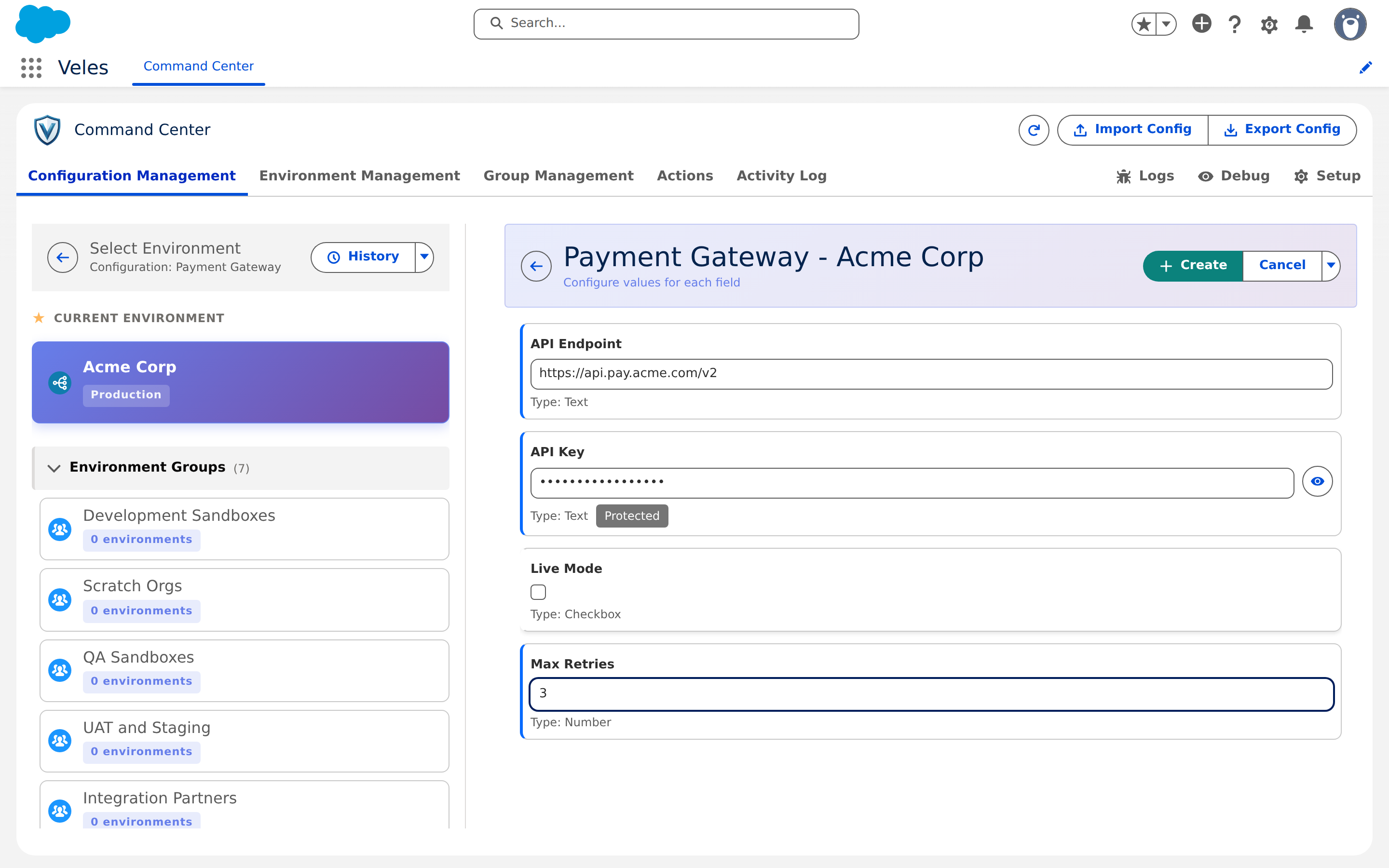
- Pick a group to set a default for every environment in it. Veles tells you which environments will receive the value and which keep their own override.
- Pick an environment to set values for that org only. On a field the environment inherits, click Override for this environment; choose Override with a value, or Override with empty value when this environment must have no value even though its group has one.
Each field shows where its value comes from: Set here, Inherited from <group>, Overridden here · group default: ... or Overridden (empty). When two groups set the same field, the group higher in the environment's group list wins.
Saving a value for the org you are logged in to asks you to confirm, because it takes effect there at once.
Get values to an environment
Values reach a child org in three ways:
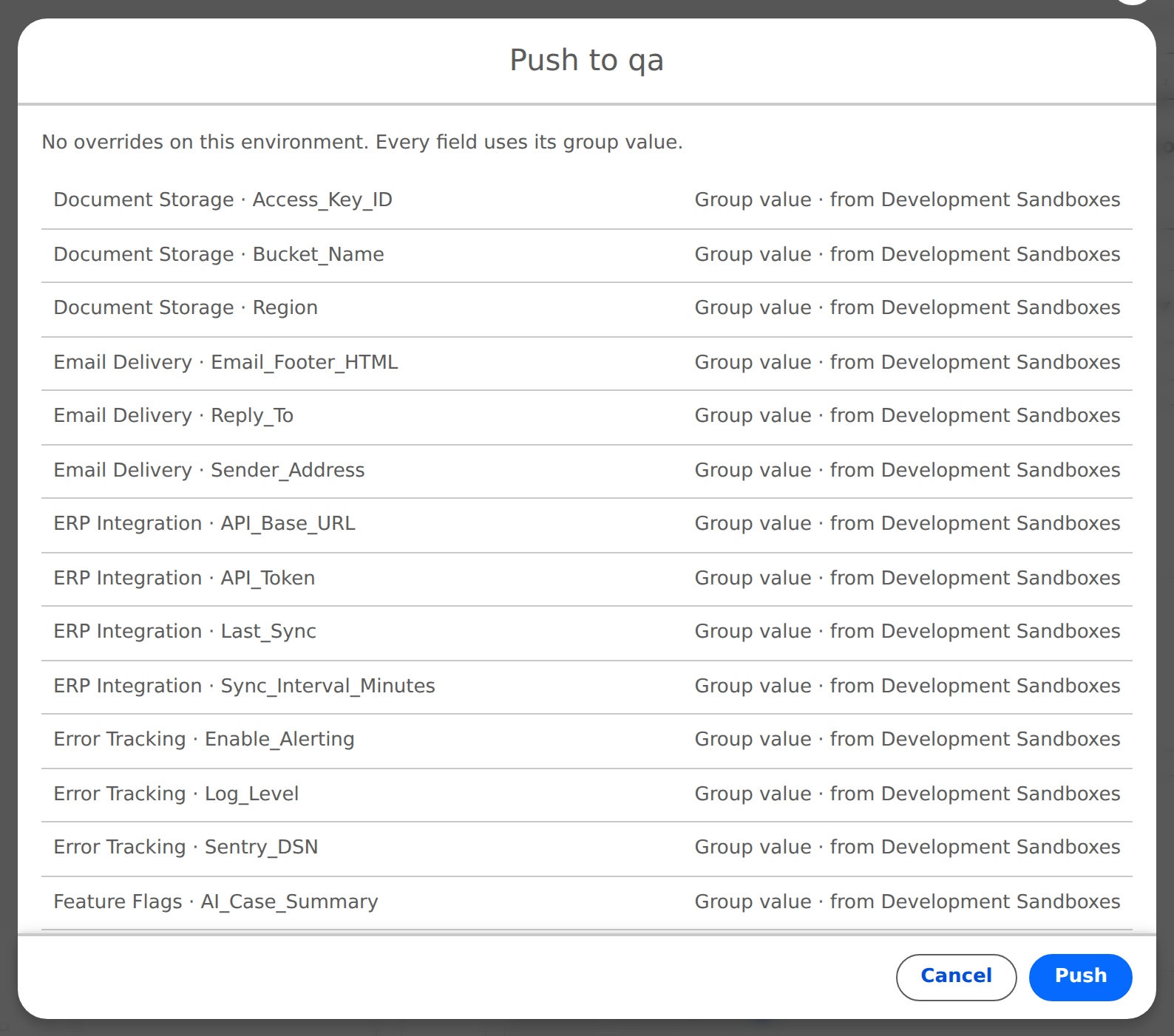
Push Config to Environment on the environment's row in Environment Management. The preview lists each field with its outcome (Group value, Override kept, Set on this environment), never the values. A push also carries workflows and User Setup rows.
Pull Config from Hub on the child's own row, from inside the child.
Automatically after a sandbox refresh, and when a scratch org first connects.
A push never runs workflows by itself. After a refresh, Veles pushes first and then runs the workflows.
On a child org
A child sees the same configurations with its own values. Its own row is Managed by the Hub: you can edit it, with a warning that the next push or pull replaces the groups. Configuration created locally on a child stays local and is marked Local.
History
History on a configuration row, and Value History in a configuration's detail menu, show who changed what and when. Protected and Credential values appear as [HIDDEN]. Audit Log in the list menu shows deleted configurations and needs the Enterprise plan.
Read values in code
See Apex and Flow API.